
Car Wallpaper HD & 4K Live
Midas Studio AppArt & Design
0.00.00 Reviews
- Version
- 1.1.3
- Installs
- 50.00K
- Age Rating
- Everyone
Screenshots
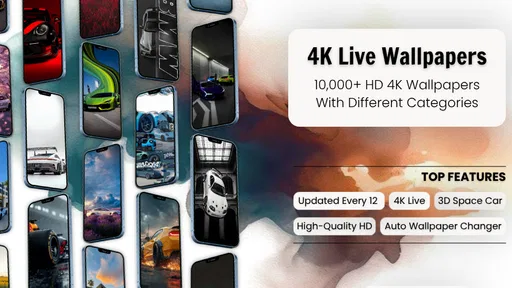
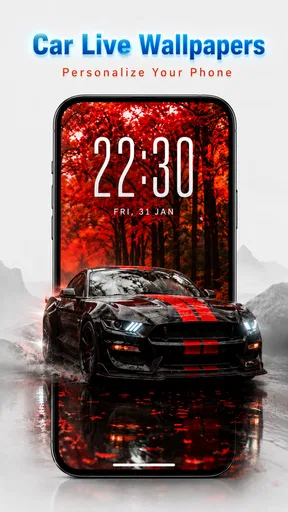
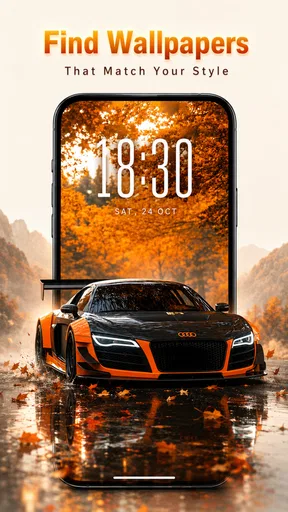
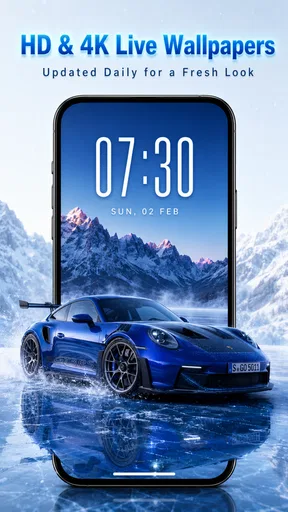
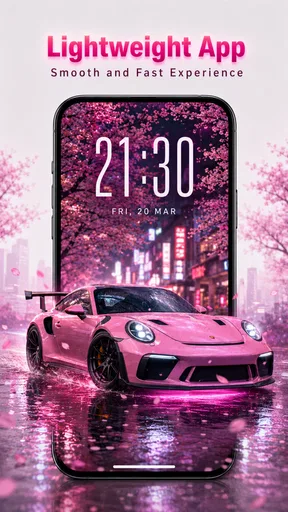
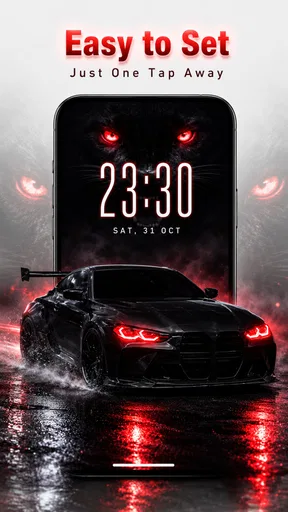
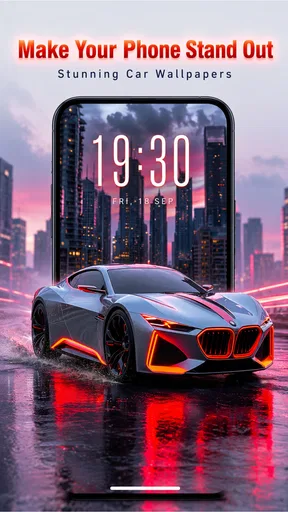
Our Review of Car Wallpaper HD & 4K Live
 Analysis by Appyee
I spent time with Car Wallpaper HD & 4K Live as a visual customization app rather than treating it like a simple gallery of vehicle pictures. Its main appeal is easy to understand: it gives an Android phone a stronger automotive identity through high-resolution wallpapers, live backgrounds, bold designs, and regularly refreshed content. My overall view is positive, but with an important qualification: this is best for someone who wants a quick, dramatic change to the look of a phone, not for someone searching for a full wallpaper editor or a highly controlled design studio.
The app sits in the Art & Design category and comes from Midas Studio App. It is free, aimed at Everyone, and has passed the fifty-thousand-install mark. Those details make its role fairly clear. This is an accessible visual app for casual customization, with a low barrier to entry and a subject that has an obvious audience: drivers, motorsport fans, collectors, and anyone who likes the shape and atmosphere of performance cars.
What the car-focused wallpaper experience does well
The strongest part of the experience is its narrow focus. Many wallpaper apps mix landscapes, abstract art, celebrities, animals, and random decoration into one enormous feed. That variety can be useful, but it also makes finding a coherent style slower. Here, the automotive theme gives the browsing experience a clearer purpose. When I open it, I already know the visual direction I am likely to find, so choosing a background feels more deliberate instead of becoming an endless search through unrelated images.
That focus also helps people who want their phone to say something about their taste without building a complete theme. A low-angle car image can make a lock screen feel energetic, while a darker vehicle shot may work better behind bright icons. The difference matters because a wallpaper is not only an image in isolation. It has to coexist with the clock, notifications, widgets, and app labels. The app’s car-centered presentation gives you a useful starting point, but the final result depends on how carefully you match the image to the layout of your device.
The high-definition and 4K emphasis is most valuable on larger, sharper displays. On a smaller screen, the difference between a good HD image and an extremely detailed image may be less obvious during ordinary use. Still, detailed bodywork, headlights, wheels, reflections, and road textures benefit from a clean source image. I found that a strong car photograph can remain visually interesting even when the phone is only briefly checked, which is exactly the kind of small daily pleasure a wallpaper app should provide.
The live wallpaper angle adds movement to the experience, although it also changes the practical trade-off. A static background is predictable and usually easier to live with. A moving one can make the lock screen feel more dynamic, particularly when the animation complements the vehicle image instead of competing with the icons. I would use live backgrounds selectively rather than leaving them active all the time. They are a nice option for a personal phone, but someone who values maximum restraint or a very quiet interface may prefer a still image.
One useful habit is to judge each wallpaper from the actual screen where it will appear, not only from the preview. I recommend checking whether the car’s roof, windshield, or brightest light sits underneath the clock. If the main subject lands behind notification text, the image can look impressive in the selection view but awkward in daily use. With vehicle photography, this is especially important because the strongest visual detail is often concentrated around the front grille or headlights.
The app’s promise of daily updates is also meaningful for people who tire quickly of a fixed background. Fresh material gives the application a reason to revisit instead of using it once and deleting it. I would not treat that promise as a guarantee that every refresh will match my exact taste. A daily content rhythm is more useful when I approach it as a source of new ideas rather than expecting every new option to be a perfect replacement.
How I would use it in an ordinary day
Imagine someone commuting with a plain factory wallpaper. During a lunch break, they open this app, browse a few car designs, and choose a darker image with open space near the top of the screen. That choice leaves the clock readable and gives the phone a more personal feel without changing icons or installing a larger launcher package. If they want more energy for the weekend, they can try a live background, then return to a static one when they want a calmer appearance.
That workflow shows where the app is most successful: it turns a small amount of spare time into a visible change. I do not need to learn editing tools, search across unrelated categories, or prepare an image in another application before trying a new look. For casual customization, that simplicity is a real strength.
There is also a practical way to make better choices by separating lock-screen and home-screen needs. A dramatic close-up may look excellent on the lock screen, where fewer icons are visible, but become distracting behind a crowded home screen. A wider shot with a less complicated background is usually more flexible for the home screen. I would first choose an image for the screen I look at most, then use a complementary style elsewhere rather than forcing one picture to work equally well in both places.
Where the experience falls short
The same specialization that makes the app easy to understand can make it feel limited after the novelty wears off. If I want illustrations, nature scenes, minimalist gradients, or a wallpaper built around a particular color palette, a car-focused catalog is not the right destination. Even a large automotive selection cannot replace a broad wallpaper service for people whose interests change from day to day.
Another limitation is the amount of control a dedicated wallpaper app can offer. I would not install this expecting advanced cropping, typography, layered composition, or a full set of editing controls. Its value is in selecting a finished visual, not in turning a personal photograph into a carefully designed poster. Users who want to add text, adjust every color, remove objects, or create a matching set for multiple screens will probably be happier with an image editor or a more comprehensive customization tool.
High-resolution images can also expose a mismatch between the artwork and the phone’s display shape. A wide car photograph may need cropping on a tall screen, and that can cut off the wheels or move the subject away from the ideal position. I recommend previewing the crop before applying anything and being willing to reject an image that looks excellent in its original composition but loses its balance on the phone.
Live wallpapers bring their own friction. Movement is visually attractive, but it can make the interface feel busier and may not suit every device or personal routine. I would avoid using one when I need the lock screen to communicate information quickly, because a moving background can draw attention away from the clock and notifications. Static wallpapers are the safer choice for work, study, or anyone who prefers a clean glanceable screen.
The free price is welcome, especially for users who only want to experiment with a new look. At the same time, free wallpaper apps are easiest to judge by the quality of the actual browsing experience rather than by the promise of a large collection. I would spend a few minutes checking whether the available styles match my taste before committing to it as my permanent wallpaper source. A free download removes the financial risk, but it does not remove the time cost of searching.
Compatibility is reasonably approachable because the app requires Android 7.0 or later. That covers a wide range of Android phones, including devices that are no longer new. Still, compatibility with the operating system does not guarantee that every live-wallpaper behavior will feel identical across manufacturers. Android interfaces differ, and the final appearance can depend on the phone’s own wallpaper settings, launcher, and screen proportions.
Small decisions that improve the result
My first tip is to choose composition before resolution. A technically sharp image is not automatically a good wallpaper. Look for a car positioned with enough breathing room around the clock and icons. A slightly less dramatic image can be more successful if it keeps important interface elements readable.
My second tip is to test the image with notifications visible. A wallpaper that works on a clean preview may become cluttered once messages and status information appear. This is particularly relevant with bright headlights, reflective paint, and busy city backgrounds, because those details can compete with white notification text. A darker area behind the main text usually produces a more comfortable result.
My third tip is to treat daily updates as a rotation system rather than a demand to change constantly. I would save a small mental shortlist of styles that work well on the phone, then revisit the app when I want a seasonal change or simply feel bored with the current image. Changing too often can make the phone feel unsettled; choosing a few dependable looks creates more consistency.
A fourth consideration is battery-conscious use. I would begin with a static wallpaper, observe how it fits my routine, and only then try a live option. This is not because live backgrounds are automatically unsuitable, but because motion is a feature that should earn its place on a personal device. If the animation adds genuine enjoyment, keep it. If it becomes background noise, a still image will probably feel better.
The app is also a useful source of visual references for people who want to create something elsewhere. A user might notice that side-profile shots, wet-road reflections, or close-ups of wheel details fit their style, then use that direction when photographing their own car or designing a custom background. In that sense, the app can function as inspiration even when the final wallpaper comes from a personal image.
Who should install it, and who should look elsewhere
I think this is a good match for someone who wants an immediate automotive makeover without learning complicated tools. It suits fans of bold vehicle photography, people who enjoy changing their lock screen, and users who appreciate a focused catalog instead of a general-purpose wallpaper feed. It is also friendly to someone who wants to try a free option before deciding whether a car theme deserves a permanent place on the phone.
It is less suitable for a person who wants a completely personalized design. If your priority is adding your own text, matching a wallpaper to a custom icon pack, building a coordinated tablet-and-phone set, or editing family photographs, another app will serve you better. I would also skip it if cars are only an occasional interest and I prefer broad access to many unrelated visual categories.
The current version, 1.1.3, gives the app a clear, approachable identity, but I would judge it by how well its available backgrounds fit my specific device rather than by version number alone. A phone with a tall display, a large notch, or a crowded home screen may require more careful selection than a simpler layout. The app can provide the artwork, but it cannot decide which crop will look best for every handset.
Compared with the usual alternatives, its advantage is concentration. A general wallpaper platform may offer more variety, stronger search tools, or more creative categories, while a launcher or theme package may change icons and interface behavior as well. This app takes the lighter route: it focuses on the background itself. That makes it easier to try, but also means the transformation is visual rather than comprehensive.
I would describe the experience as a good first step for a car-themed phone, not a complete customization ecosystem. It can make a plain device feel more expressive in a few moments, and the live options add a welcome sense of movement for users who enjoy that style. The trade-off is that the app does not replace editing software, a broad wallpaper library, or a full theme manager.
My final recommendation is straightforward: install Car Wallpaper HD & 4K Live if you specifically want automotive imagery, free experimentation, and a wallpaper source that can stay fresh over time. Start with a static image, check the crop and notification readability, then try a live background only if the movement genuinely improves the experience. For car fans, that focused approach is its biggest strength. For everyone else, a broader customization app will likely offer better long-term variety.
After using it, I see the best value in its focused simplicity. It does not need to do everything to be useful. It only needs to help the right person find a car wallpaper that looks good on the actual phone and remains pleasant to see throughout the day. On that narrower goal, Midas Studio App has created a free Art & Design app worth trying, especially for users who want their display to carry a little more speed and personality.
Verdict
Strengths of Car Wallpaper HD & 4K Live
- Large collection of HD and 4K car wallpapers for different tastes.
- Live wallpapers add motion and a more dynamic look to the home screen.
- Simple browsing makes it easy to preview and choose backgrounds.
- Many images are optimized for modern smartphone displays.
- Regular content updates can provide fresh automotive designs.
Limitations of Car Wallpaper HD & 4K Live
- Some wallpapers or features may require in-app purchases.
- Live wallpapers can consume more battery than static backgrounds.
- The app may display ads while browsing or downloading images.,4K files can use considerable storage space on your device.
- Compatibility with live wallpapers may vary between phone models.
Other Releases by Midas Studio App
View All
Zipper Lock Screen Customizer
Art & Design4.7
Similar Picks in This Category
View All
Canva: AI Photo & Video Editor
Canva4.8

PENUP – Drawing-sharing SNS
Samsung Electronics Co., Ltd.4.5

Crafto
Kutumb App4.6

Sketchbook
Sketchbook4.1

ibis Paint X
ibis inc.4.5

Adobe Express: AI Photo, Video
Adobe4.6
Frequently Asked Questions
What is Car Wallpaper HD & 4K Live?
Car Wallpaper HD & 4K Live is a mobile wallpaper app designed for automotive enthusiasts. It provides a collection of high-resolution car images, including HD and 4K backgrounds, along with animated or live wallpaper options on supported devices. You can browse different vehicle styles, preview wallpapers, and apply them to your home screen, lock screen, or both, depending on your phone’s settings.
Does Car Wallpaper HD & 4K Live work on both Android and iPhone?
Availability and features may differ between Android and iOS versions. Android devices generally offer broader support for live wallpapers and may allow more direct customization of the home and lock screens. On iPhone, animated wallpaper behavior is more restricted by iOS, so some live effects may not function in exactly the same way. Check the official store listing for your device before downloading.
Will the 4K and live wallpapers reduce battery life or use much storage?
High-resolution images can require more storage and mobile data than standard wallpapers, especially when downloading several collections. Live wallpapers may also consume additional battery because they use animation and, in some cases, continuous background processing. To reduce the impact, use Wi-Fi for downloads, avoid keeping multiple live wallpapers active, and switch to a static image when battery life is important.
Is Car Wallpaper HD & 4K Live free to download and use?
The app may be available as a free download, but some wallpapers, premium collections, or customization features can require in-app purchases or a subscription. Advertising may also appear while browsing or downloading content. Before confirming a purchase, review the pricing, renewal terms, and refund policy shown in the relevant Google Play Store or Apple App Store listing.
Is the app safe, and what permissions should I expect?
As with any wallpaper application, download Car Wallpaper HD & 4K Live from an official app store and check the developer information, recent reviews, and requested permissions. A wallpaper app may need access to save images or apply backgrounds, but unrelated permissions should be considered carefully. Avoid modified APK files and review the privacy policy to understand how usage data, advertising identifiers, or downloaded content are handled.
